
TL;DR
The best AI for writing emails includes tools like Jasper for versatile content creation, Lavender for sales-focused coaching, and MailerLite for integrated email marketing campaigns. These top-tier assistants streamline your workflow by generating drafts, refining your tone, and even personalizing outreach, saving you significant time while improving communication quality.
What to Look For in an AI Email Writer
Choosing the right AI email writer can feel overwhelming, but focusing on a few key criteria will clarify which tool best fits your needs. At its core, an AI email writer is a tool that uses artificial intelligence, specifically natural language processing, to help you draft, edit, and manage email communications. These tools go far beyond simple spell-checking, offering capabilities that can fundamentally change how you handle your inbox.
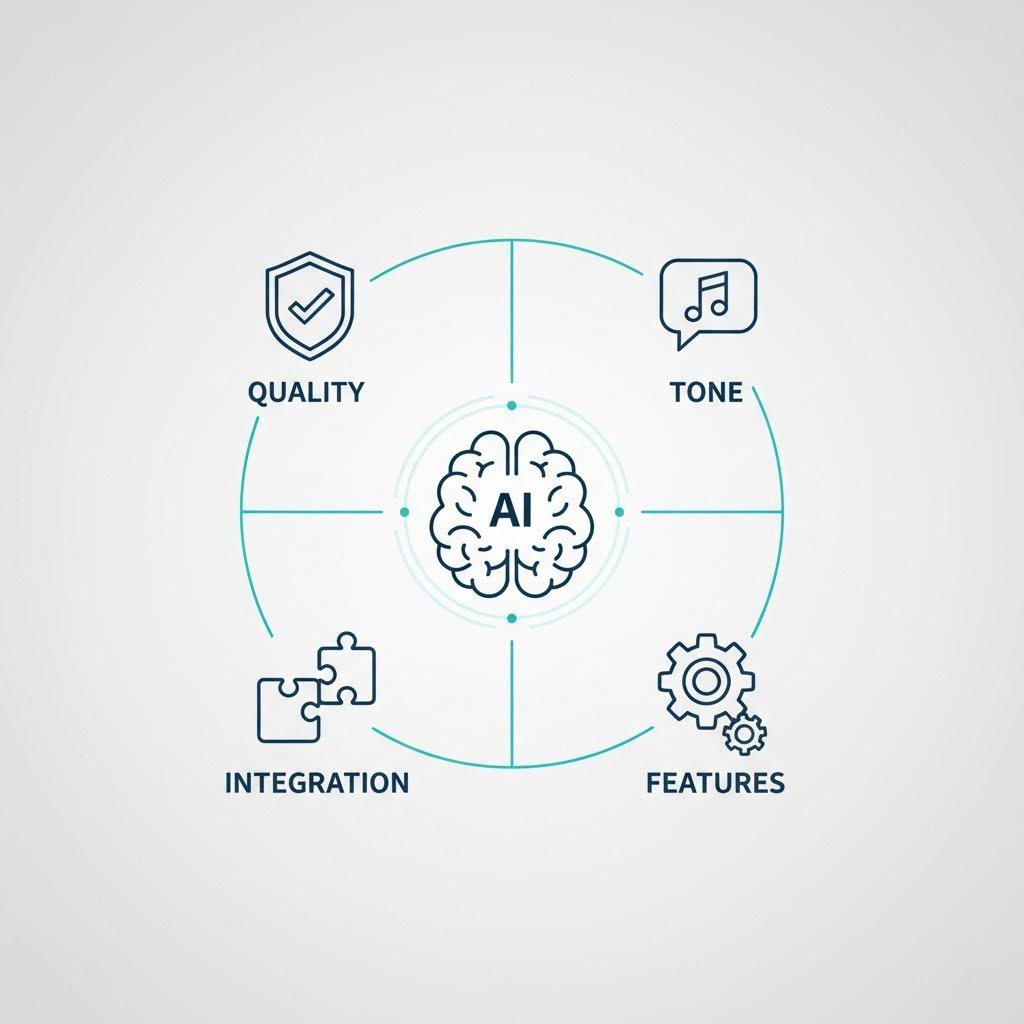
The first and most important factor is the quality of the generated text. The AI should produce content that is coherent, contextually appropriate, and sounds natural. It needs to understand nuance and adapt its output based on minimal prompts. Equally important is the ability to adjust the tone and style. A great tool allows you to switch between formal, casual, persuasive, or empathetic tones with a single click, ensuring your message always aligns with your audience and objective.
Seamless platform integration is another critical consideration. The most effective AI email assistants work where you work. Look for tools that offer browser extensions or native integrations for popular clients like Gmail and Outlook. As highlighted in a review of top AI writers, tools like Flowrite and Jasper offer extensions that bring AI capabilities directly into your existing workflow, eliminating the need to copy and paste between applications. This integration saves time and reduces friction, making the tool a natural extension of your process.
Finally, evaluate the specific features that align with your primary use case. A sales professional will benefit greatly from a tool like Lavender, which provides AI coaching and personalization assistance to boost reply rates. An email marketer, on the other hand, might prioritize a platform like MailerLite, which combines AI writing with campaign management and automation. Consider these essential features when making your choice:
- Core Writing Assistance: Generating drafts, subject lines, and calls-to-action.
- Content Refinement: Grammar checks, tone adjustments, and rephrasing suggestions.
- Productivity Features: Summarizing long threads, generating quick replies, and scheduling.
- Advanced Capabilities: Personalization based on recipient data, spam score analysis, and performance predictions.
The Top AI Tools for Writing Emails
Navigating the landscape of AI email assistants requires a clear comparison of their strengths. From dedicated sales coaches to fully integrated marketing platforms, each tool offers a unique approach to optimizing your inbox. Below is a detailed breakdown of the leading options, designed to help you identify the perfect fit for your specific needs, whether you're a marketer, a sales professional, or simply looking to reclaim your time.
| Tool | Key Feature | Best For | Pricing Model |
|---|---|---|---|
| Jasper | Versatile content templates and brand voice customization | Marketing and content creation at scale | Subscription (starts at $39/mo) |
| Lavender | AI email coaching and personalization assistant | Sales teams focused on outreach | Freemium (paid plans from $29/mo) |
| MailerLite | AI writer integrated directly into email campaign builder | Small businesses and creators | Freemium (AI on Advanced plans) |
| Grammarly | Advanced proofreading and generative AI suggestions | Error-free writing and quick replies | Freemium (paid plans from $12/mo) |
| Shortwave | AI-powered email search and thread summarization | Organizing a cluttered Gmail inbox | Freemium (paid plans from $14/mo) |
| ChatGPT | Flexible, conversational prompt-based writing | General-purpose research and drafting | Freemium (Plus at $20/mo) |
1. Jasper
Jasper stands out as a powerful and versatile AI writing assistant, excelling at creating a wide range of marketing content, including emails. With over 50 templates, it allows users to generate everything from compelling subject lines to entire email campaigns. You can define your brand voice, ensuring all generated content remains consistent and on-brand. Its Chrome extension is particularly useful, bringing its capabilities directly into Gmail, Google Docs, and other web-based platforms.
Pros
- Extensive library of templates for various marketing needs.
- Customizable brand voice for consistent messaging.
- Integrates with Grammarly for enhanced proofreading.
Cons
- Can be more expensive than other specialized tools.
- The sheer number of features may be overwhelming for simple email tasks.
Best For: Marketing teams and content creators who need a robust tool for generating high-quality email copy and other marketing materials at scale.
2. Lavender
Lavender is a specialized AI sales email coach designed to help sales professionals write more effective emails and increase reply rates. It analyzes your drafts in real-time, providing a score from 1-100 and offering actionable suggestions to improve tone, clarity, and style. A standout feature is its personalization assistant, which gathers insights about your recipient to help you craft highly relevant outreach. As noted in a test of top email writers, Lavender excels at optimizing outbound sales messages by removing spam trigger words and suggesting improvements based on best practices.
Pros
- Provides real-time coaching and scoring to improve email quality.
- Personalization assistant helps tailor messages to individual recipients.
- Learns from emails that receive positive replies to refine its suggestions.
Cons
- Highly focused on sales emails, making it less suitable for general marketing.
- Can encourage over-analyzing and tweaking of every message.
Best For: Sales development representatives (SDRs) and account executives (AEs) looking to optimize their cold outreach and boost engagement.
3. MailerLite
MailerLite integrates AI writing tools directly into its user-friendly email marketing platform. This makes it an excellent all-in-one solution for small businesses and creators who want to streamline their entire email workflow. Within the drag-and-drop editor, you can generate subject lines, complete email bodies, and even content for landing pages. The AI assistant allows for quick content generation and A/B testing, helping you discover what messaging resonates best with your audience without ever leaving the platform.
Pros
- AI tools are seamlessly integrated within the email marketing platform.
- Simple, intuitive interface makes it easy for beginners to use.
- Goes beyond writing to include send-time optimization and landing page creation.
Cons
- Not a standalone AI writer; its value is tied to using the MailerLite platform.
- AI features are included in paid plans, not the free tier.
Best For: Small businesses, bloggers, and creators who need a simple, integrated solution for both creating and sending email campaigns.
Integrated vs. Standalone: AI Assistants for Gmail & Outlook
While many third-party tools offer powerful email assistance, the battle for inbox supremacy is increasingly being fought by native, deeply integrated AI. For the millions who live in either Google Workspace or Microsoft 365, the choice often comes down to convenience versus advanced functionality. Integrated assistants like Gemini for Gmail and Microsoft Copilot for Outlook offer a seamless experience, leveraging deep contextual awareness of your emails, calendar, and contacts.
The primary advantage of an integrated tool is its context. As detailed in a breakdown of AI email assistants, Gemini can summarize unread emails or entire threads directly within the Gmail interface, while Copilot can analyze a conversation and suggest replies with numbered citations linking back to specific points in the thread. This level of integration allows them to perform tasks like finding information, scheduling meetings, and drafting replies with an understanding of your personal data that external tools cannot match.
However, standalone tools often provide more specialized or powerful features. A tool like Lavender offers sales-specific coaching that Copilot doesn't, while Jasper provides a far broader range of content creation templates than Gemini. The decision hinges on your specific needs. If your goal is general productivity and streamlining basic email tasks within your existing ecosystem, an integrated assistant is likely sufficient. If you require advanced features for a specific function like sales, marketing, or long-form content creation, a specialized standalone tool is often the better investment.
Finding Value: Are Free AI Email Writers Worth It?
The allure of free AI email writers is strong, and for many users, they offer a fantastic entry point into AI-assisted productivity. Tools like Grammarly and Rytr provide generous free plans that can handle basic tasks like drafting simple emails, correcting grammar, and suggesting better phrasing. For students, personal use, or professionals who only need occasional assistance, these free tiers can be incredibly valuable, offering a significant upgrade over standard spell checkers without any financial commitment.
However, it's crucial to understand the limitations. Free plans almost always come with trade-offs. The most common restrictions include limits on the number of words or characters you can generate per month, access to only basic AI models (which may be less powerful), fewer available tones, and a lack of advanced features like plagiarism checkers or team collaboration. For example, a free tool might help you write a quick response, but it likely won't offer the deep personalization or sales coaching features found in paid tools like Lavender.
Upgrading to a paid plan becomes necessary when email is a critical part of your professional workflow. For business use, high-volume emailers, sales teams, and marketers, the investment in a paid tool unlocks the full power of AI. The table below illustrates the typical trade-offs between free and paid options, helping you decide when it's time to upgrade.
| Feature | Typical Free Plan | Typical Paid Plan |
|---|---|---|
| Usage Limits | Limited words/characters per month | Unlimited or very high limits |
| AI Model | Access to standard models (e.g., GPT-3.5) | Priority access to advanced models (e.g., GPT-4) |
| Advanced Features | Basic grammar, spelling, and simple generation | Brand voice, personalization, plagiarism check, team features |
| Integrations | Often limited or basic | Extensive and deeper integrations |
Beyond the Inbox: Expanding Your AI Toolkit
Mastering your email workflow with an AI assistant is a significant step toward enhanced productivity. Once you've optimized your communications, you may find yourself wondering how AI can streamline other areas of content creation. The principles of generating high-quality, on-brand text apply just as much to articles and web copy as they do to emails. This is where the world of AI writing tools broadens considerably.
For professionals who manage blogs, websites, or other long-form content, specialized tools can offer more robust features tailored to those formats. While your email AI is perfect for concise communication, a dedicated article writer provides intelligent outlining, SEO optimization, and deeper research capabilities. If you're struggling with content creation bottlenecks beyond your inbox, exploring an advanced AI blog writer could be a logical next step. For instance, platforms like BlogSpark are designed to transform ideas into engaging, SEO-optimized articles, empowering creators to scale their content production effortlessly. Considering these tools can help you apply the time-saving benefits of AI across your entire content strategy.
Frequently Asked Questions About AI Email Writers
1. Can I use AI to write an email?
Yes, absolutely. AI email writers are designed to help you draft emails from scratch, reply to messages, refine your tone, and check for errors. You can provide a simple prompt, like "write a follow-up email to a potential client after a meeting," and the AI will generate a complete draft for you to edit and send.
2. Can ChatGPT write an email for me?
Yes, ChatGPT is very effective at writing emails. By providing a clear prompt that includes the purpose of the email, the key points to include, and the desired tone (e.g., formal, casual, persuasive), ChatGPT can generate a well-structured and grammatically correct email that you can use for professional or personal communication.
3. Is Copilot good for writing emails?
Microsoft Copilot is an excellent tool for writing emails, especially for users of Outlook. Its deep integration allows it to act as an efficient assistant, helping to rewrite messages for clarity and tone, summarize long email threads to catch you up quickly, and draft replies based on the context of the conversation. Its ability to analyze and reference specific points within a thread makes it particularly powerful.
4. Is there a free AI writing tool for Outlook?
While Microsoft Copilot's most advanced features are part of a paid subscription, there are third-party AI tools that offer free plans and integrate with Outlook. Tools like Grammarly have browser extensions that work within the Outlook web app, providing free grammar checking and a limited number of AI-powered writing prompts each month. Additionally, some dedicated AI writers offer free trials or limited free versions that can connect to your Outlook account.