
TL;DR
Creating a search engine for your website boils down to two main paths. You can use a pre-built, third-party tool like Google Programmable Search Engine for a fast and simple setup. Alternatively, for complete control and custom relevance, you can build one from scratch, which involves developing a web crawler, an index, and a ranking algorithm using technologies like Python and Elasticsearch.
Understanding the Core Approaches: Pre-Built Service vs. Custom Build
When you decide to add search functionality to your website, you face a fundamental choice: integrate a ready-made service or build a custom solution from the ground up. Each path offers distinct advantages and caters to different needs, from a simple blog to a large-scale e-commerce platform. Understanding this choice is the first step toward implementing a search feature that serves your users effectively.
A pre-built service, often called a managed or third-party search, provides a turnkey solution. The most prominent example is Google Programmable Search Engine, which allows you to define a set of websites and pages for it to search. You simply configure the engine through a control panel, specify the sites to include, and embed a snippet of code on your website. The service handles all the complex backend processes—crawling, indexing, and ranking—sparing you the technical overhead.
On the other hand, a custom-built search engine is a system you develop yourself. This approach involves creating several core components from scratch. According to guides from Elastic and Stratoflow, these components include a web crawler (or spider) to discover and fetch content, an index to store and organize that data efficiently, and a ranking algorithm to determine the relevance of results for a given query. This path requires significant development effort but offers unparalleled control over every aspect of the search experience.
Deciding between these options often comes down to balancing resources and requirements. The question "Is it difficult to create a search engine?" has a nuanced answer. Using a tool like Google's is not difficult at all and can be done in minutes. Building one from scratch, however, is a complex software engineering project. To help you choose, consider the following factors:
| Factor | Pre-Built Service (e.g., Google) | Custom-Built Search Engine |
|---|---|---|
| Ease of Implementation | Very high; requires minimal coding and configuration. | Very low; requires significant development expertise. |
| Cost | Often free with ads, with paid ad-free options available. | High upfront and ongoing costs for development and infrastructure. |
| Customization | Limited; mainly look-and-feel adjustments. No control over the ranking algorithm. | Total control; you can tailor the ranking algorithm, UI, and features to your specific needs. |
| Scalability | Managed by the provider (e.g., Google), highly scalable. | Depends on your architecture and infrastructure; requires careful planning. |
Ultimately, the right path depends on your goals. If you need a functional search box on your blog or small business site quickly and affordably, a pre-built service is the ideal choice. If you're building a large e-commerce site, a specialized knowledge base, or any platform where search relevance is a core competitive advantage, the investment in a custom-built engine is often justified.
Method 1: The Quick and Easy Path with Google Programmable Search Engine
For many website owners, the fastest and most straightforward way to add a search feature is by using Google Programmable Search Engine. This tool allows you to leverage Google's powerful search technology, confining it to a specific list of sites you choose. It's an ideal solution if you want to provide a reliable search experience without delving into complex development work. The entire process is managed through a user-friendly control panel and can be completed in just a few minutes.
The core concept is simple: you tell Google which websites or pages to include in your search results. This could be just your own website, a collection of related sites, or even the entire web with a preference for your content. Google handles the crawling and indexing behind the scenes. Once configured, you receive a small piece of JavaScript code to paste into your site's HTML, which generates the search box and results page. This makes it incredibly easy to integrate, even for those with limited technical skills.
According to Google's official documentation, creating your search engine involves a few simple steps. Here’s a breakdown of the process based on information from the Programmable Search Engine Help Center:
- Sign in and Name Your Engine: Start by visiting the Programmable Search Engine control panel and signing in with your Google account. The first step is to give your search engine a descriptive name.
- Choose What to Search: This is the most critical step. You'll specify the sites you want your engine to cover. You can enter entire domains (e.g., `yourwebsite.com`) or specific page URLs.
- Configure Basic Settings: You can enable or disable features like image search and SafeSearch to tailor the experience to your audience.
- Create and Get the Code: After confirming your settings, click "Create." You will then be taken to a page where you can get the code snippet to add to your site.
Once you have the code, you simply embed it where you want the search box to appear on your website. Users can then type queries, and the results will be displayed either on a new page or within an overlay on your site, depending on your configuration. While this method is incredibly convenient, it's important to understand its limitations. You have control over the look and feel—colors, fonts, and layout—but you have no direct control over the ranking algorithm. Google determines the relevance of results, which may not always align perfectly with your specific business goals. However, for most standard use cases, the convenience and power of Google's technology make this an excellent starting point.
Method 2: Building a Custom Search Engine - Core Concepts & Architecture
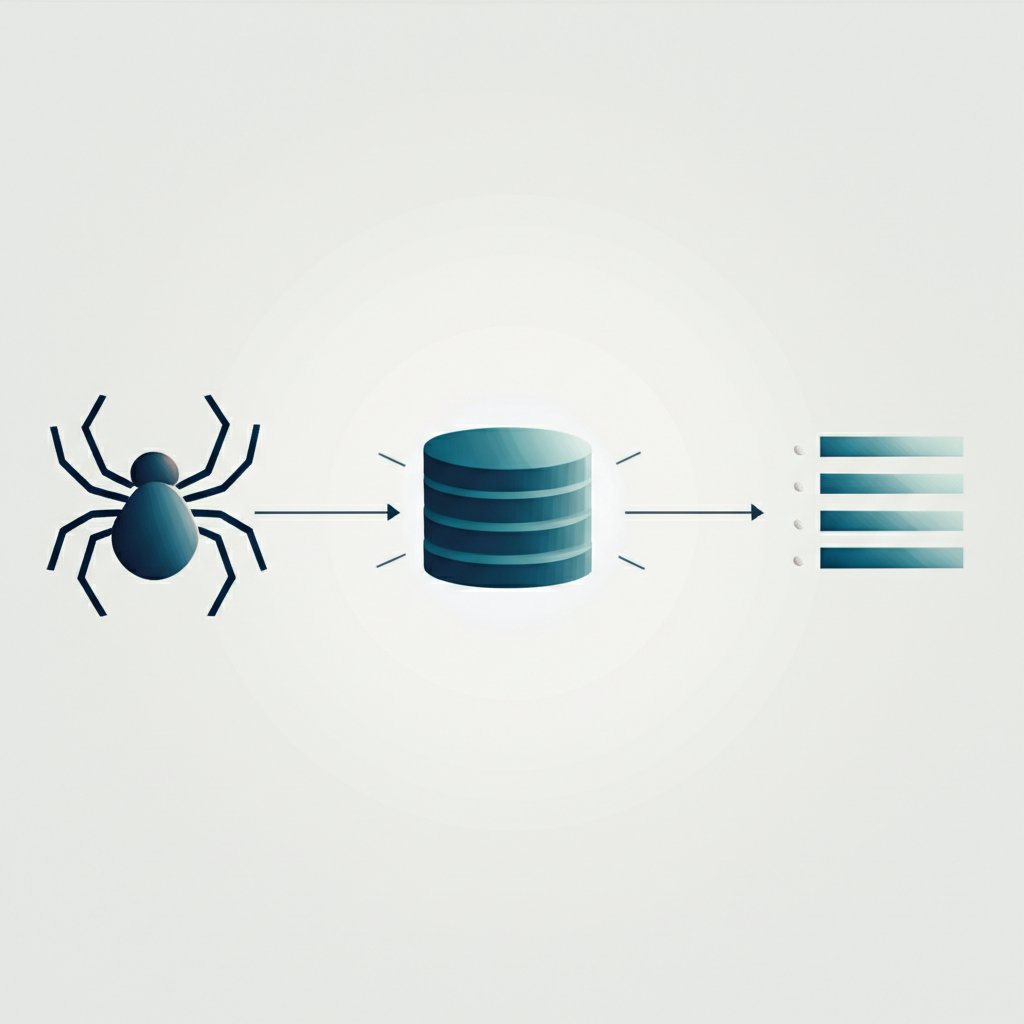
For those who require full control over search relevance and functionality, building a custom search engine is the ultimate solution. This path is far more complex but offers the ability to create a search experience perfectly tailored to your users and content. A custom engine isn't a single piece of software but a system of interconnected components working together. As detailed in technical guides by Stratoflow and other experts, a search engine fundamentally consists of three core components: a web crawler, an index, and a search and ranking algorithm.
The first component is the Web Crawler, also known as a spider or bot. Its job is to systematically browse websites to discover and collect data. The crawler starts with a list of known URLs, fetches the content of those pages, and then extracts any links to other pages, adding them to its queue to visit. This process allows it to traverse a website—or a portion of the web—and gather the raw material (HTML, text, metadata) that your search engine will process. For this task, developers often use libraries like BeautifulSoup in Python to parse HTML and extract relevant information.
Once the data is collected, it needs to be organized for fast retrieval. This is the role of the Index. An index is a specialized database designed for rapid lookups. Most search engines use a data structure called an "inverted index." Instead of listing documents and the words they contain, an inverted index maps each word to a list of documents where it appears. This structure makes it incredibly efficient to find all documents containing a specific search term. Technologies like Elasticsearch and Apache Lucene are powerful, open-source tools specifically built for creating and managing these complex indexes.
The final and most sophisticated component is the Search and Ranking Algorithm. When a user submits a query, this algorithm is responsible for querying the index to find matching documents and then sorting them by relevance. This is where the "magic" of a good search engine lies. Early algorithms simply counted keyword occurrences, but modern ones are far more complex. They might use models like TF-IDF (Term Frequency-Inverse Document Frequency) to weigh the importance of words, analyze link structures (the principle behind Google's original PageRank), or even incorporate machine learning to understand user intent and personalize results. Building this component requires a deep understanding of your content and what signals indicate a high-quality result for your users.
The primary trade-off of this approach is complexity versus control. While the development and maintenance overhead is high, a custom engine allows you to define what "relevance" means for your specific domain, leading to a vastly superior user experience for specialized sites. This is especially true for large sites with a high volume of content, where a well-tuned search engine is critical for discoverability. Indeed, as content scales, perhaps with the help of platforms like BlogSpark which helps marketers and creators revolutionize their content workflow, the need for a powerful, custom search solution becomes even more apparent.
A Step-by-Step Guide to Building Your Own Search Engine
Embarking on the journey to build a custom search engine is a significant undertaking, but breaking it down into a structured process makes it manageable. This guide synthesizes the practical steps outlined in technical tutorials from resources like Anvil and Stratoflow to provide a clear roadmap. The process moves from planning and data collection to indexing, ranking, and finally, presenting the results to the user.
Following a methodical approach ensures that each component is built on a solid foundation, leading to a more robust and effective final product. Here is a high-level, step-by-step plan for developing your own search engine:
- Define Scope and Requirements: Before writing any code, clearly define what your search engine will do. Will it index a single website or multiple? What kind of content will it search (text, images, products)? Answering these questions, as emphasized by Elastic, helps determine the required technology and complexity. A search for an internal company wiki has very different needs than one for a public e-commerce site.
- Develop the Web Crawler: The crawler is your data-gathering agent. You need to program it to navigate your target website(s), download page content, and extract links to discover new pages. As shown in an Anvil tutorial, this can be achieved using Python with libraries like `requests` for fetching pages and `BeautifulSoup` for parsing HTML. It is crucial to implement rules to respect `robots.txt` files and avoid overwhelming servers with requests.
- Design the Database and Index: The collected data needs a home. You'll need a database to store the raw content (like HTML) and an index for fast searching. For the index, using a dedicated search platform like Elasticsearch is highly recommended. The core task here is to create an inverted index, where you tokenize the text from each page (break it into words) and map each word to the documents containing it.
- Implement the Search and Ranking Algorithm: This is the brain of your operation. When a user enters a query, your application must parse it, query the index to find all matching documents, and then rank them. Start with a simple ranking model, such as counting how many times the query terms appear in a document. You can later evolve to more sophisticated models like TF-IDF or BM25, which are built into tools like Elasticsearch, to improve relevance.
- Design and Build the User Interface (UI): The final step is creating the interface your users will interact with. This includes a search bar to enter queries and a results page (SERP) to display the findings. A good UI should clearly present each result with a title, a link, and a descriptive snippet. Features like pagination, filters, and facets (e.g., filtering by category or date) are essential for helping users refine their searches and find what they need quickly.
Building a search engine is an iterative process. It's wise to start with a simple version and continuously test and optimize it. Monitor how users interact with it and use that feedback to refine your ranking algorithm and UI. While complex, completing this process provides an incredibly powerful and customized tool for your website.
Frequently Asked Questions
1. How do I make a search engine for my website?
You have two main options. The easiest method is to use a service like Google Programmable Search Engine, where you define which sites to search through a control panel and embed a code snippet on your site. The more advanced method is to build one from scratch, which involves developing a web crawler to gather data, an index to organize it, and a ranking algorithm to sort results.
2. Is it difficult to create a search engine?
It depends on the approach. Using a pre-built tool like Google's is very easy and requires no deep technical knowledge. However, building a search engine from scratch is a complex and challenging software development project. It requires expertise in areas like web crawling, database design, information retrieval algorithms, and user interface development.
3. How do I add a custom search engine?
If you use a service like Google Programmable Search Engine, you add it by getting a piece of JavaScript code from their control panel and pasting it into your website's HTML where you want the search box to appear. If you build your own search engine, you will need to create the front-end search box yourself and connect it to your backend search application via an API.