

TL;DR
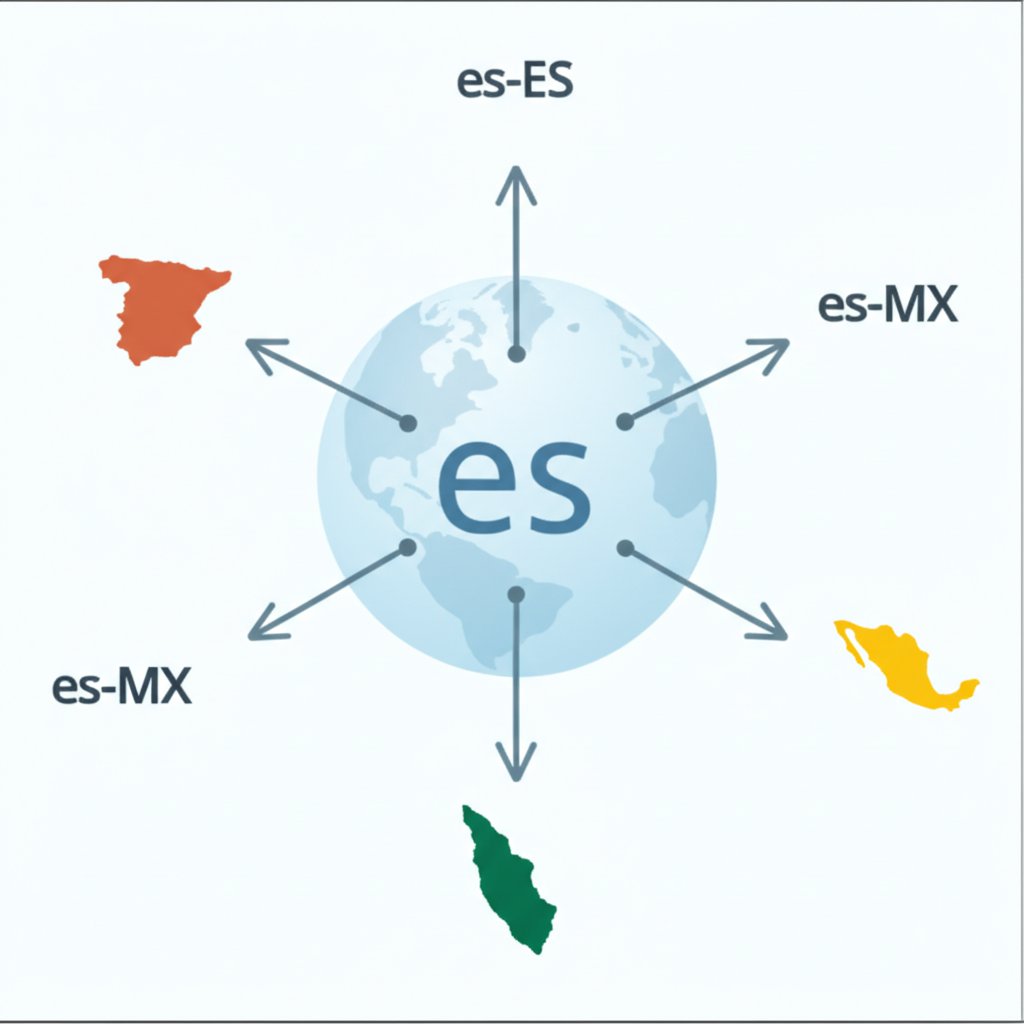
The correct hreflang language code for Spanish is `es`. This code should be used to target Spanish speakers globally. To target users in specific countries, you can add a region code, such as `es-ES` for Spain or `es-MX` for Mexico. Correctly implementing these tags helps search engines like Google serve the right page to the right user, preventing duplicate content issues and improving international SEO.
Understanding Hreflang for Spanish: Core Concepts
The `hreflang` attribute is a technical signal in your website's code that tells search engines about pages with similar content but targeted at different languages or regions. As explained in Google's official documentation, its primary purpose is to help search engines understand these localized variations and serve the correct version to users based on their language and location preferences. This is crucial for Spanish-language content, which serves a diverse global audience.
When implemented correctly, `hreflang` prevents search engines from viewing your translated pages as duplicate content. Instead of seeing two nearly identical pages and struggling to rank them, the search engine understands they are alternate versions for different audiences. This ensures that a user searching in Madrid finds your Spanish page, while a user in Mexico City finds your page tailored for Mexico.
A basic implementation for a Spanish-language page would look like this in the HTML <head> section:
<link rel="alternate" hreflang="es" href="https://example.com/es/page.html" />
It's important not to confuse the hreflang attribute with the lang attribute. The lang attribute (e.g., <html lang="es">) specifies the language of the content on the current page itself, primarily for browsers and accessibility tools. In contrast, hreflang points to other, alternate versions of the page. You can implement `hreflang` in three ways: within the HTML <head>, via HTTP headers (for non-HTML files like PDFs), or in your XML sitemap, which is often more scalable for large websites.
Language vs. Region: Targeting Spanish Speakers Correctly
The core of using `hreflang` for Spanish lies in understanding the distinction between a language-only code and a language-region code. Using `es` is a broad approach, telling search engines that a page is for all Spanish speakers, regardless of their location. This is a suitable strategy if you have a single, universal Spanish version of your website.
However, the Spanish language has significant regional variations in vocabulary, currency, and cultural context. For a more refined user experience, you should use language-region codes. As expert guides from Moz and IONOS explain, combining the language code (`es`) with a country code (ISO 3166-1 Alpha 2 format) allows for precise targeting. For example, `es-ES` targets Spanish speakers in Spain, while `es-MX` targets those in Mexico.
Choosing the right strategy depends on your content. If your e-commerce site displays prices in Euros and references Spanish holidays, using `es-ES` is essential. If another version uses Mexican Pesos and local shipping options, `es-MX` is the correct choice. Failing to specify a region can lead to a confusing user experience, such as showing the wrong currency or irrelevant contact information.
| Hreflang Code | Target Audience | When to Use |
|---|---|---|
es |
All Spanish speakers, globally | When you have one generic Spanish version of your content. |
es-ES |
Spanish speakers in Spain | When content is specific to Spain (e.g., currency, dialect, cultural references). |
es-MX |
Spanish speakers in Mexico | When content is localized for Mexico (e.g., currency, products, local terms). |
es-CO |
Spanish speakers in Colombia | When content is tailored for the Colombian market. |
x-default |
Users with no matching language | For a language selector page or a default international homepage. |
It is also a best practice to include a generic `es` tag as a fallback for Spanish speakers in countries you haven't specifically targeted. This ensures that any Spanish-speaking user will at least be directed to a relevant page, even if it isn't hyper-localized for their specific region.
Hreflang Implementation: Best Practices and Common Mistakes
Correct implementation is critical for `hreflang` tags to function as intended. An error can cause search engines to ignore your signals, negating your international SEO efforts. Following a clear set of best practices is the surest way to avoid common pitfalls that can harm your site's visibility.
One of the most important rules is that `hreflang` annotations must be bidirectional. If your English page links to your Spanish page as an alternate, your Spanish page must link back to the English page. Without this reciprocal link, the connection is broken, and search engines may disregard the instruction. Another crucial element is the self-referencing tag. Each page must include an `hreflang` tag that points to itself. For example, the `es-ES` page must have a `<link rel="alternate" hreflang="es-ES" ...>` pointing to its own URL.
Here is a checklist of best practices to follow:
- Use Valid Codes: Always use valid ISO 639-1 for language codes (like `es`) and ISO 3166-1 Alpha 2 for region codes (like `ES` or `MX`). Using an incorrect code like `es-uk` is a common mistake that will invalidate the tag.
- Implement Return Links: Ensure every alternate page links back to all other versions. If Page A links to Page B, Page B must link back to Page A.
- Include a Self-Referencing Tag: Each page's set of `hreflang` tags must include one that references its own URL.
- Use Absolute URLs: Always specify the full, absolute URL, including `https://`, in your `href` attributes. Relative URLs like `/es/page.html` will not work.
- Use the `x-default` Tag: Implement `<link rel="alternate" hreflang="x-default" href="https://example.com/" />` to direct users who don't match any of your specified language/region combinations to a default page, such as a country selector.
Common mistakes to avoid include using a country code without a language code, pointing to pages that result in a 404 error, or mixing `hreflang` with `rel="canonical"` in a contradictory way. For teams managing numerous localized pages, scaling content creation can be a major hurdle. AI-powered tools like BlogSpark can help revolutionize this workflow by generating engaging, SEO-optimized articles in seconds, freeing up your team to focus on technical implementation and strategy. After implementation, always use a validation tool to check for errors and ensure your tags are being interpreted correctly by search engines.
Frequently Asked Questions
1. What is Lang for Spanish in HTML?
The `lang` attribute for Spanish in HTML is specified as `lang="es"`. This attribute is placed within the `<html>` tag (e.g., `<html lang="es">`) to declare the default language of the text on that specific webpage. It is used by browsers and assistive technologies to correctly process and display the content, but it does not signal alternate language versions to search engines like `hreflang` does.
2. What is the difference between Lang and hreflang?
The `lang` attribute and the `hreflang` attribute serve different purposes. The `lang` attribute defines the language of the content on the current page itself. In contrast, the `hreflang` attribute is used within `<link>` tags to tell search engines about other, alternate versions of that page created for different languages or regions. In short, `lang` describes the current page, while `hreflang` points to other pages.


