

TL;DR
Testing your email domain involves using online tools to check critical health factors like blacklist status, DNS record configuration (SPF, DKIM, DMARC), and overall sender reputation. A healthy domain ensures your emails are delivered reliably to the inbox, protecting your business communication and marketing efforts from being flagged as spam.
Understanding the Core Pillars of Email Domain Health
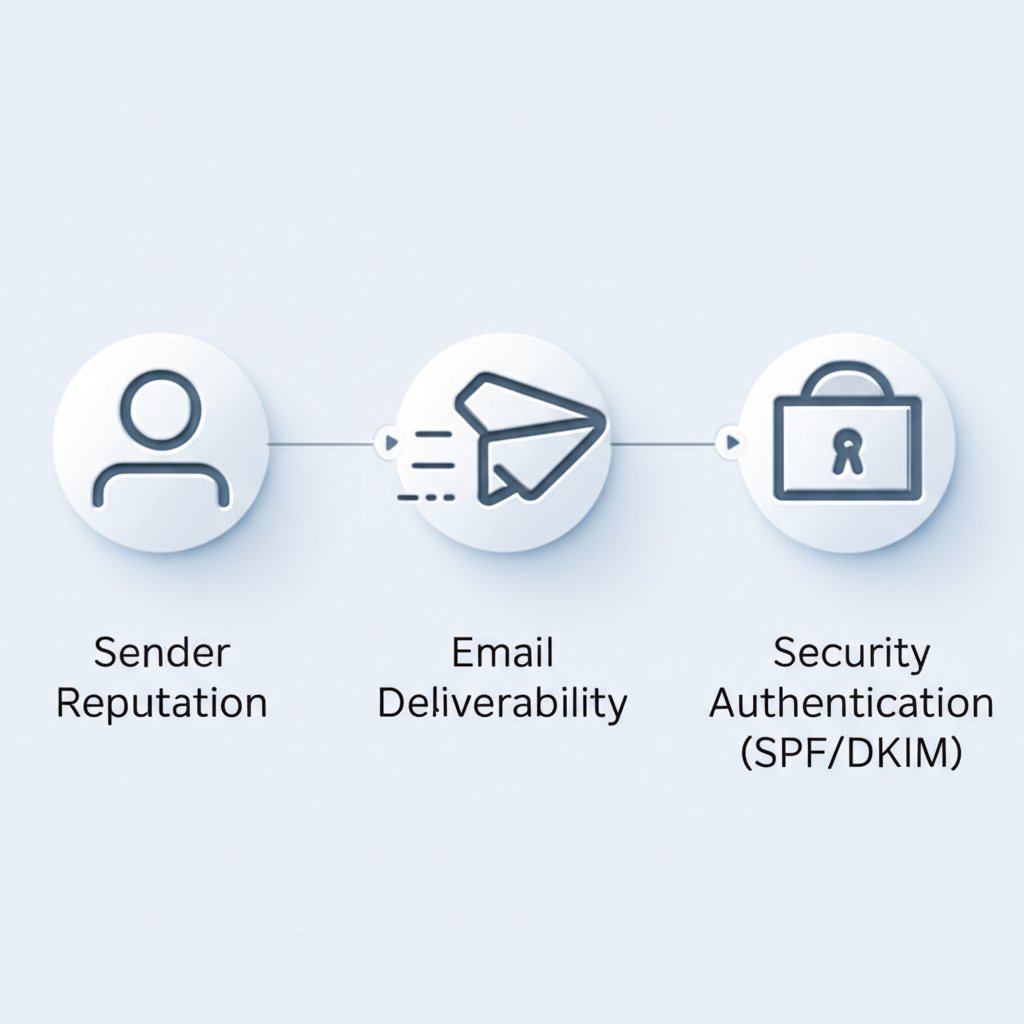
Before diving into the tests, it's crucial to understand what "email domain health" actually means. Think of it as a measure of your domain's reputation and technical setup for sending legitimate emails. Poor health leads to your messages landing in spam folders or being rejected entirely, which can severely impact business operations, from sales outreach to customer support. The health of your email domain rests on three core pillars: sender reputation, email deliverability, and security authentication.
Sender Reputation is like a credit score for your domain. Internet Service Providers (ISPs) and email services track how recipients interact with your emails. High open rates and positive engagement build a good reputation, while high bounce rates and spam complaints damage it. A poor reputation is a major red flag that can get your domain blacklisted.
Email Deliverability is the direct outcome of your reputation and technical setup. It's the measurement of how successfully your emails reach the intended recipients' inboxes. High deliverability means your messages are getting through, while low deliverability indicates a significant problem that needs immediate attention.
Security Authentication involves technical protocols that prove your emails are genuinely from you and not from a malicious actor spoofing your domain. The primary protocols are SPF, DKIM, and DMARC. For instance, without a valid SPF record, marketing emails you send through a third-party service like Mailchimp might be flagged as spam by receiving servers because they can't verify the service is authorized to send on your behalf.
The difference between a healthy and an unhealthy domain is stark. Regular monitoring of these pillars is not just a technical task—it's a fundamental business practice to ensure your messages reach your customers and partners reliably.
- Healthy Domain: High inbox placement rate, strong sender reputation, positive recipient engagement, and properly configured authentication.
- Poorly Configured Domain: High bounce and spam complaint rates, emails landing in junk folders, potential for being blacklisted, and vulnerability to spoofing attacks.
A Deep Dive into Key Domain Health Checks
A comprehensive email domain test isn't a single action but a series of checks on its most critical components. Understanding what each test verifies is the first step toward diagnosing and fixing potential issues. The most important checks focus on your blacklist status and the proper configuration of email authentication records: SPF, DKIM, and DMARC.
Blacklist Status
A blacklist is a real-time database of domains and IP addresses that have been identified as sending spam. Being on a blacklist is one of the fastest ways to destroy your email deliverability. Mailbox providers consult these lists to decide whether to accept, reject, or filter an incoming email. A check will scan major blacklists to see if your domain or sending IP has been flagged.
SPF (Sender Policy Framework)
An SPF record is a text entry in your DNS that lists all the servers authorized to send email on behalf of your domain. When an email is received, the server checks the SPF record to verify that the sending server's IP address is on that authorized list. This simple check is a powerful first line of defense against email spoofing, where an attacker sends emails that appear to come from your domain.
DKIM (DomainKeys Identified Mail)
DKIM adds a layer of cryptographic verification. It attaches a unique digital signature to every email you send, which is linked to your domain. The receiving email server uses a public key published in your DNS to verify this signature. A successful DKIM check proves two things: that the email's content hasn't been tampered with in transit and that it genuinely originated from your domain.
DMARC (Domain-based Message Authentication, Reporting, and Conformance)
DMARC is the enforcement layer that builds on SPF and DKIM. A DMARC policy in your DNS tells receiving servers what to do with emails that fail SPF or DKIM checks—they can be monitored, sent to quarantine (spam), or rejected outright. As noted by security providers like Valimail, DMARC gives you control over your email security and provides valuable reports on who is sending email from your domain, helping you identify both legitimate services and potential abuse.
These checks work together to build a complete picture of your domain's security and trustworthiness. The following table summarizes their roles:
| Check Type | What It Verifies | Why It's Critical |
|---|---|---|
| Blacklist | If your domain or IP is on known spam lists. | Prevents immediate rejection of your emails. |
| SPF | Which servers are authorized to send email for your domain. | Stops basic email spoofing and impersonation. |
| DKIM | That the email is authentic and its content is unaltered. | Ensures message integrity and builds trust. |
| DMARC | How to handle emails that fail SPF or DKIM checks. | Protects your domain from unauthorized use and provides visibility. |
Top Free and Paid Tools to Test Your Email Domain
Numerous online tools, both free and paid, can perform these critical health checks for you. Free tools are excellent for quick spot-checks and initial diagnostics, while paid services offer continuous monitoring, deeper analytics, and automated alerting, which are essential for businesses that rely heavily on email.
Here are some of the top tools available:
- MxToolbox: A comprehensive tool that runs hundreds of tests on your domain, covering blacklists, mail server configuration, DNS records, and more. It's a go-to for in-depth diagnostics.
- Mail-tester.com: Known for its simplicity, this tool provides a spam score out of 10. You send an email to a unique address, and it analyzes your message format, server configuration, and authentication records.
- EasyDMARC: Offers a free domain scanner that provides a clear report on your SPF, DKIM, and DMARC setup. It's particularly useful for those focusing on implementing and managing DMARC.
Choosing the right tool depends on your needs. For a quick, one-time check, a free tool is sufficient. For ongoing protection and reputation management, a paid monitoring service is a worthwhile investment.
| Tool Name | Key Feature | Best For (Use Case) | Pricing Model |
|---|---|---|---|
| MxToolbox | Comprehensive suite of 30+ tests | Deep technical diagnostics and ongoing monitoring | Freemium (free checks, paid monitoring) |
| Mail-tester.com | Simple 1-10 spam score | Quickly testing a specific newsletter or email template | Free with limits, paid plans available |
| EasyDMARC | User-friendly DMARC analysis | Businesses implementing or managing DMARC policies | Freemium (free scanner, paid platform) |
How to Use a Free Tool: A Quick Walkthrough with Mail-tester.com
Testing your domain with a tool like Mail-tester is straightforward. Here’s how it works:
- Visit the Mail-tester.com website. You will be given a unique, temporary email address.
- From your email client or marketing platform, compose a typical email you would send to a customer and send it to the unique address provided.
- Return to the Mail-tester website and click the button to check your score.
- Review your results. The report will break down your score, showing you exactly where you can improve, from your SPF/DKIM setup to the content of your email itself.
How to Interpret Test Results and Fix Common Domain Issues
Running a test is just the first step; the real value comes from understanding the results and taking action. Many tools will present a report with pass/fail indicators or scores. Focus on any warnings or errors, as these highlight immediate threats to your deliverability.
Here’s how to address some of the most common problems:
Problem: You're on a Blacklist
Solution: If your domain or IP appears on a blacklist like Spamhaus or Barracuda, the report will usually tell you which one. Visit the blacklist's website and follow their delisting process. This often involves identifying and fixing the root cause (e.g., a compromised account sending spam) and then submitting a removal request.
Problem: Invalid or Missing SPF Record
Solution: An SPF error means your record is either misconfigured or nonexistent. You need to create or edit the TXT record in your DNS settings. The record should include all IP addresses and third-party services (like Google Workspace, SendGrid, etc.) that send email for you. For example, a simple SPF record for Google Workspace is `v=spf1 include:_spf.google.com ~all`.
Problem: No DMARC Policy Found
Solution: Without a DMARC record, you have no visibility or control over failed authentications. Start by creating a basic monitoring policy. A DMARC TXT record like `v=DMARC1; p=none; rua=mailto:[email protected];` tells servers to send aggregate reports to your specified email address without affecting mail delivery. This allows you to gather data before moving to a stricter `quarantine` or `reject` policy.
Preventative Maintenance Checklist
Staying on top of your email domain health is an ongoing process. Use this checklist to maintain a strong sender reputation:
- Run quarterly health checks: Use a tool to perform a full domain scan at least once per quarter.
- Monitor blacklists continuously: Set up alerts with a monitoring service to be notified immediately if you are blacklisted.
- Keep DNS records updated: Whenever you add a new email-sending service, remember to update your SPF record accordingly.
- Review DMARC reports: Regularly check your DMARC reports to identify new sending sources and potential abuse.

Frequently Asked Questions
1. How can I check if an email domain is valid?
Checking if an email domain is valid goes beyond just sending a test email. A truly valid and healthy domain has properly configured technical records. The most reliable method is to use a domain health checker tool, as described in this article, to analyze its SPF, DKIM, and DMARC records and check its blacklist status. These technical checks confirm the domain is set up to send email securely and reliably.
2. Is there a test email address?
For testing purposes, services like MailSlurp offer temporary or "dummy" email addresses that can receive emails. However, when you want to test the health of your *own* email domain, you don't send an email to a generic test address. Instead, you use tools like Mail-tester.com, which provide you with a unique address to send your email to for analysis, or tools like MxToolbox, which analyze your domain's public DNS records directly.
3. Can I get an email domain for free?
Yes, some web hosting services offer a free domain name for the first year when you purchase a hosting plan. While this allows you to get a custom domain, the focus of maintaining its health for email deliverability remains the same. The technical setup of SPF, DKIM, and DMARC is a separate process that is required for both free and paid domains to ensure emails are delivered properly.


